Take a tour of the Microsoft 365 Copilot App

How AI capabilities come together in one experience. This video features a guided tour of the redesigned Microsoft 365 Copilot App and shows how integrated tools support smarter work: - Explore Copilot Chat for real-time assistance - Use Copilot Search to find answers faster - Create content with Copilot Create in one place To get a clearer view of the Microsoft 365 Copilot experience, watch this video.

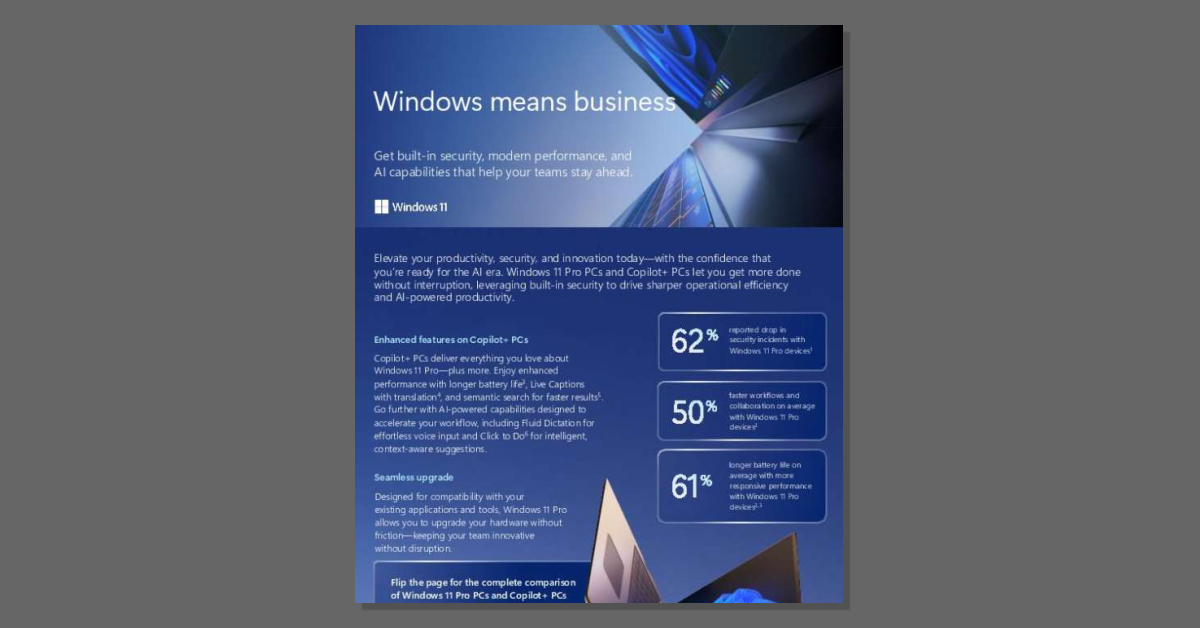
Copilot+ PCs Business-ready AI for real-world benefits

Turn everyday devices into AI-ready business tools. This solution brief highlights how these PCs combine powerful performance, built-in security, and AI features to improve productivity and efficiency. See how Copilot+ PCs support faster workflows, stronger protection, and all-day performance by reading the brief.

Work IQ API public preview: Build Copilot powered agents with A2A | Microsoft Community Hub

Bypass custom data integration and permission setup to begin building faster. This Microsoft Tech Community blog post details the Work IQ API public preview, offering developers and partners enterprise-grade organizational context, reasoning, grounding, security, and governance via Agent-to-Agent, MCP, and REST interfaces. Explore how the API streamlines context-aware workflows and multi-agent solutions in Microsoft 365 Copilot.

St. Luke's saves nearly 200 hours monthly with AI-powered Security Copilot agents | Microsoft Customer Stories

What does unified security visibility change? St. Luke's University Health Network needed a real-time view across multiple platforms to disrupt attacks earlier in the chain. This customer story shows how Security Copilot in Microsoft Defender delivered an AI-powered, agentic view of alerts, access controls, and vulnerabilities, saving nearly 200 hours monthly in phishing triage. Read the story to learn from St. Luke's experience, then talk with Intelektra Technology, Inc. about applying Security Copilot in your environment.

Customizing generative AI for unique value

Turn generative AI into a competitive differentiator. The MIT Technology Review Insights report, "Customizing generative AI for unique value," reveals how customizing AI helps leading organizations improve efficiency and streamline operations, gain a competitive advantage with unique solutions, and enhance user satisfaction and innovation. For insight on how to move ahead with AI customization, download your complimentary copy of the report by completing this short form.

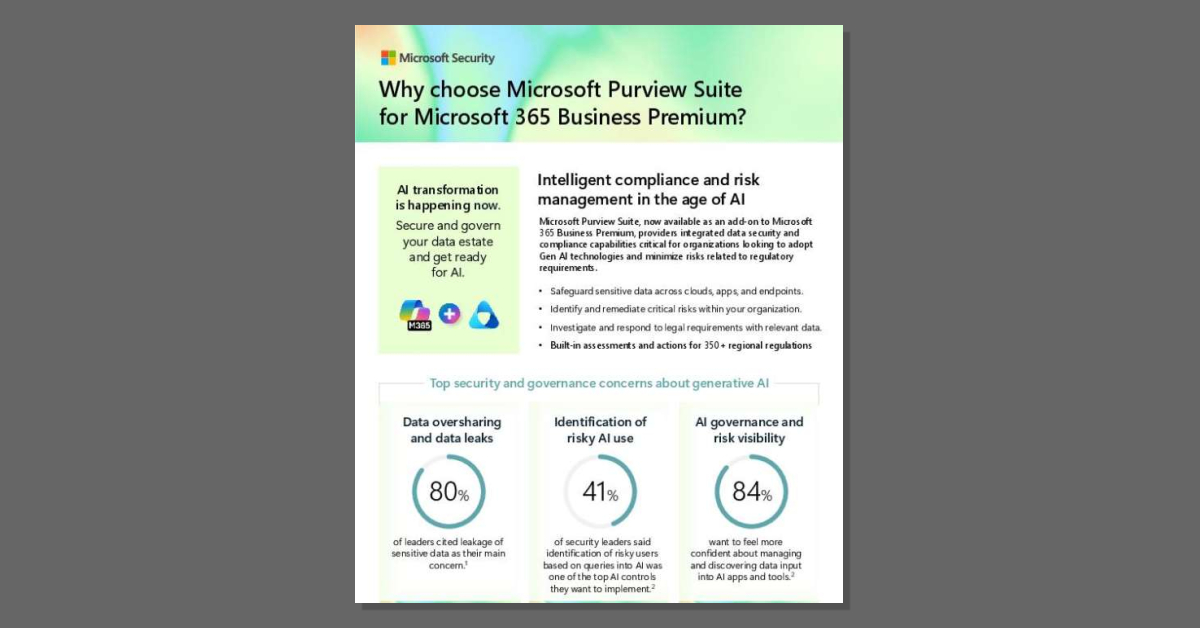
Why choose Microsoft Purview Suite for Microsoft 365 Business Premium

Secure and govern your data estate before you scale AI. This one-pager shows how Microsoft Purview Suite, an add-on to Microsoft 365 Business Premium, gives your organization visibility into overshared content, alerts on risky AI use, and built-in assessments for 350+ regional regulations. Read the one-pager to see what unified data security and compliance covers.

Turn Data into Insights with Microsoft 365 Copilot

Accelerate the data-to-decision path. Watch this video to see how Microsoft 365 Copilot helps you prepare smarter by: - Revealing insights hidden in everyday data - Improving deal preparation with AI assistance - Keeping your focus on high-impact opportunities

Is your business ready?

AI is becoming part of everyday work, and readiness matters. This video shows how Copilot supports daily tasks across real workflows and what AI readiness looks like for modern teams. Watch the video to see how organizations build productivity with AI without adding complexity.

Innovation with Azure OpenAI Service

Turn AI ambition into measurable business outcomes. This video features customers across industries sharing how they apply Azure OpenAI Service to drive innovation across industries, transform workflows with AI-powered insights, and achieve measurable, real-world outcomes. Watch the video for ideas on how Azure OpenAI Service can advance your AI strategy.

Microsoft 365 powered by Work IQ: Built to Support How You Work

Context is what separates a useful answer from a generic one. This video introduces Work IQ, the intelligence layer behind Microsoft 365 Copilot that draws on data, memory, and inference to understand your professional context and personalize your experience across the applications you use every day. Watch the video to see how Work IQ shapes Copilot responses around your role, your projects, and your organization.

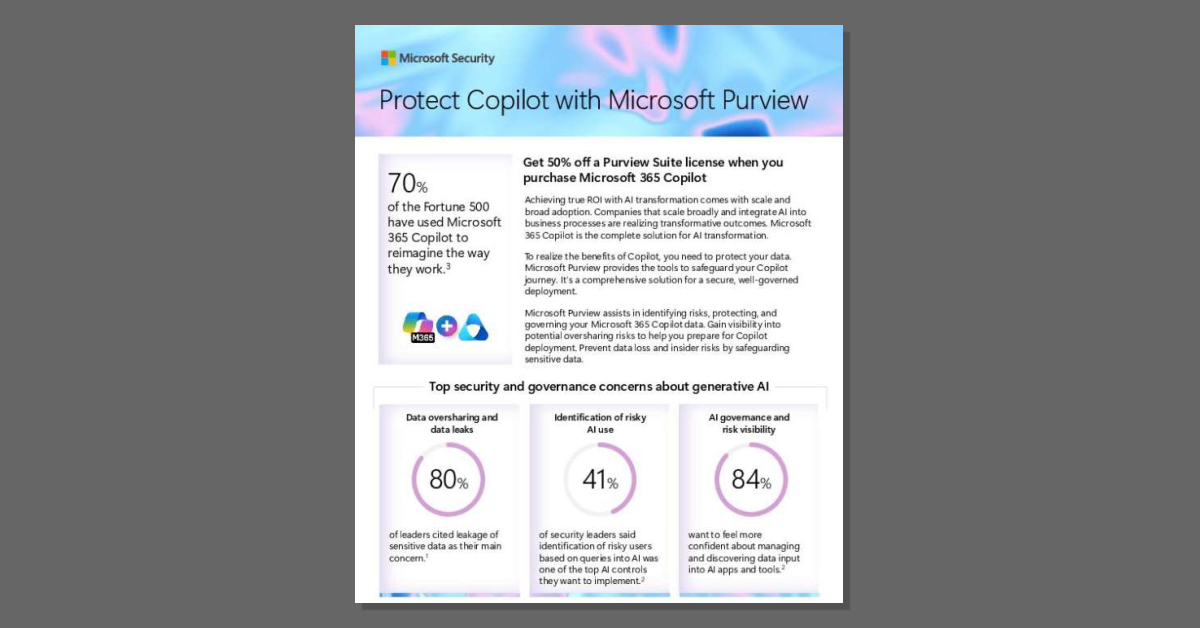
Protect Copilot with Microsoft Purview

To get the most from Microsoft 365 Copilot, you need confidence that sensitive data is protected, access is governed, and AI use aligns with compliance requirements. The one-pager, "Protect Copilot with Microsoft Purview," shows how Purview helps safeguard your Copilot journey by identifying oversharing risks, protecting against data loss and insider risks, and providing governance controls for responsible AI adoption. Download the one-pager to see how Purview supports secure Copilot deployment--and learn how eligible Copilot customers can benefit from 50% off Purview Suite.

WSP empowers engineers and scientists with Microsoft 365 Copilot | Microsoft Customer Stories

See how AI adoption at scale drives measurable productivity gains. This customer story highlights how global services firm, WSP, expanded Microsoft 365 Copilot across its global workforce to support modernization and empower engineers and scientists. Read the customer story to explore results, including; - Higher reported productivity among Copilot users - Potential for accelerated project validation cycles - More time for innovation and collaboration For ideas on how large-scale Copilot adoption can elevate performance at your organization, read the customer story.

M365 Business Premium Security Upgrade

AI productivity and advanced security in one bundle. This one-pager shows how Microsoft 365 Business Premium, Microsoft 365 Copilot Business, and Microsoft Purview Suite for Business Premium work together to keep business data and devices protected while giving staff AI built for work. Download the one-pager, and we can help you match the right combination to your needs.

Microsoft 365 Copilot Prompt Pack for Finance

Know exactly what to ask Microsoft 365 Copilot. The eBook, "Microsoft 365 Copilot Prompt Pack for Finance," delivers ready-to-use prompts across financial close and reporting, forecasting and variance analysis, risk and compliance readiness, contract and supplier decisions, and collections, along with file guidance and reusable templates. For prompts your finance professionals can apply immediately, download the eBook by completing the form.

AI in action:Creating better experiences with Azure AI apps and agents

Building AI solutions gets complex when models, infrastructure, and data are spread across multiple tools and platforms. This eBook shows how an integrated AI application platform simplifies development while helping organizations build scalable AI applications. Download the eBook to learn how Intelektra Technology, Inc. and Microsoft can help you build a strong foundation for your AI strategy. Complete the short form.

Improved Windows Search

Searching for files should not slow your team down. Watch this demo video to see how improved Windows search on Copilot+ PCs lets you type what you remember — even with incomplete details — and quickly find files, photos, and settings.

Copilot Business Premium

See how much time AI can give back to your business. This video introduces Microsoft 365 Copilot Business, the all-in-one AI assistant built into Microsoft 365 that drafts, summarizes, and turns data into decisions so your staff can focus on customers. Watch the video to see what an AI assistant looks like in your everyday work.

Supercharge productivity with Microsoft 365 Copilot

Transform the way you approach everyday work. This video shows how Microsoft 365 Copilot acts as your UI for AI at work, helping you: - Simplify everyday workflows across Microsoft 365 - Amplify productivity with advanced AI assistance - Unlock new possibilities with natural language prompts Boost productivity across your organization - watch the video, "Supercharge productivity with Microsoft 365 Copilot".

Wrtn Azure OpenAI Service Customer Story

When Ramp needed a faster way to process growing volumes of expense receipts across platforms, it adopted Microsoft Azure AI services. In this customer story, the company shares how the move enables it to process millions every month and save thousands of hours of manual work through automation. Read the story for inspiration.

Build a financial research report with Copilot Cowork

See what happens when research plans build themselves. This video walks through Microsoft Copilot Cowork building a financial research report from start to finish. Watch the video to see how Cowork handles the assembly work behind deep financial research so your finance professionals can focus on judgment and analysis.

AI Coding on Your Terms

Want AI that speeds up coding without taking the keyboard out of your developers' hands? This leaflet shows how JetBrains AI combines AI Assistant for daily coding support with Junie, an autonomous agent that handles multi-step tasks like feature builds and migrations. Read the leaflet to see how teams can move faster with zero data retention and no code training.

All Products Pack Whitepaper

How much could you save by replacing a stack of separate tool licenses with one subscription? The Extended All Products Pack whitepaper details how JetBrains unifies 10 AI-powered IDEs, 3 extensions, 2 profilers, and JetBrains AI Pro, with SOC 2 security and savings of up to 76% versus buying individual licenses. Download the whitepaper by completing the form to explore the full breakdown for your organization.

Copilot Cowork overview

See what an AI assistant looks like when it does the work. This Microsoft Learn blog post walks through how Microsoft 365 Copilot Cowork sends emails, schedules meetings, creates files, researches information, and automates recurring work, pausing for your approval before sensitive actions. Read the blog post to see how Cowork executes multi-step work.

About Microsoft 365 Copilot Chat

Build the AI habit. Discover how in this short video introduction to Microsoft 365 Copilot Chat features and highlights, included with your Microsoft 365 business subscription at no extra charge. Watch the video to explore: -How to access Copilot Chat from your web browser, desktop app, and mobile devices -Prompting tips and examples -Where to find help resources

Click to Do

Your teams move quickly, and small inefficiencies can slow momentum. This demo video shows how Click to Do on Copilot+ PCs analyzes what's on screen so you can select text or images and take action instantly. Watch the video to see how this AI feature can simplify everyday tasks and help your employees move faster.

More about us

Intelektra Technologies, Inc. reshapes how businesses utilize technology. We assist with smart and confident technology-related decisions by leveraging our work with hundreds of vendors. Our game changing processes are designed to optimize your use of technology, thus propelling your business growth. Trust us to analyze, design and deliver technology solutions tailored perfectly to your needs.